How to learn ai for free starts with a simple truth: you do not need a paid bootcamp to get useful skills, but you do need a plan that turns “watching videos” into building things.
A lot of people get stuck in the same loop, bookmarking courses, dabbling with tools, then feeling behind because nothing “sticks.” AI has a wide surface area, and the free internet makes it worse because everything looks equally important.
This guide gives you a realistic learning path, the free resources that usually hold up, and a way to practice so you can show results, not just notes.

What “learning AI” actually means (so you do not learn the wrong thing)
People say “AI” but mean different jobs. If you pick the wrong track, free resources feel confusing because they assume a background you may not have.
- AI user / power user: prompt design, evaluating outputs, workflow automation, using APIs lightly. Great for marketers, ops, founders.
- Applied ML builder: training or fine-tuning models, building pipelines, deploying apps. Common for data/ML roles.
- Research track: reading papers, new methods, heavy math. Valuable, but usually slower to ramp up.
Most beginners in the U.S. do best starting as an applied builder, even if the end goal is “AI at work,” because a few small projects teach vocabulary, constraints, and what the tools can and cannot do.
A quick self-check: pick your starting point in 10 minutes
Before you collect resources, run this honest check. Your “best” free path depends on what you already know.
If you answer “no” to these, start with foundations
- Can you write basic Python (loops, functions, reading CSVs)?
- Do you understand what a model, features, and labels are?
- Can you explain overfitting in plain English?
If you answer “yes,” you can move faster
- You have built at least one small data project (even a Kaggle notebook).
- You can use GitHub without fear: clone, commit, push.
- You can read basic charts and debug simple errors.
Rule of thumb: if Python feels shaky, fix that first, otherwise AI learning becomes “copy code and pray,” which breaks the moment something changes.
The best free resources (and how to combine them)
There is no single free course that covers everything perfectly. A better approach is a small stack: one structured class, one practical tool guide, and one project source.
According to Google, their Machine Learning Crash Course is designed as a practical introduction with exercises, and it is a solid backbone when you want structure without tuition.
- Structured learning: Google Machine Learning Crash Course, or free audit tracks from major MOOC platforms when available.
- Hands-on notebooks: Kaggle Learn, beginner-friendly and fast feedback.
- Docs as a curriculum: scikit-learn documentation for classic ML, PyTorch or TensorFlow tutorials for deep learning.
- GenAI basics: OpenAI, Anthropic, and Google developer docs for prompts, tool calling, embeddings, and safety patterns.
According to U.S. Bureau of Labor Statistics, computer and information research roles and data-related roles often value demonstrable skills, and in practice that usually means projects you can show, not just certificates.

A realistic free learning roadmap (4 phases)
If you want a path that keeps momentum, think in phases. Each phase ends with something tangible you can keep on GitHub.
Phase 1: Core skills (1–2 weeks)
- Python basics for data work (pandas, NumPy)
- Jupyter notebooks, simple plotting, reading/writing files
- Basic probability intuition: averages, variance, distributions, not full proofs
Phase 2: Classic machine learning (2–4 weeks)
- Train/test split, cross-validation, evaluation metrics
- Linear/logistic regression, trees, random forests
- Data leakage, feature scaling, handling missing values
Phase 3: Deep learning and modern workflows (3–6 weeks)
- Neural nets basics, loss functions, backprop at a high level
- Using PyTorch or TensorFlow to train a small model
- Experiment tracking mindset: what changed, what improved, what broke
Phase 4: GenAI applications (2–4 weeks)
- Embeddings, retrieval augmented generation (RAG), evaluation prompts
- Tool calling / function calling for structured outputs
- Safety and reliability: hallucinations, verification, fallback logic
Many people skip Phase 2 and jump into chatbots. You can do that, but you will debug faster if you understand evaluation and data leakage from classic ML.
Projects that prove skill (without expensive compute)
The biggest unlock in how to learn ai for free is picking projects that fit a laptop and still look like “real work.” You want something small, testable, and explainable.
Project ideas that usually work well
- Predictive model: churn prediction, house price regression, credit risk toy dataset, with clear metrics.
- NLP classifier: spam detection or support ticket tagging with scikit-learn.
- RAG mini-app: search across a small document set (PDFs you have rights to use), with citations to sources.
- Evaluation harness: compare prompts or models using a fixed test set and simple scoring rules.
What to include so your project looks credible
- A README that explains the goal, dataset, approach, and limitations
- A results section with one clear chart or table
- A “what I would do next” section, honest and specific
Keep scope tight. One polished project beats five unfinished repos.
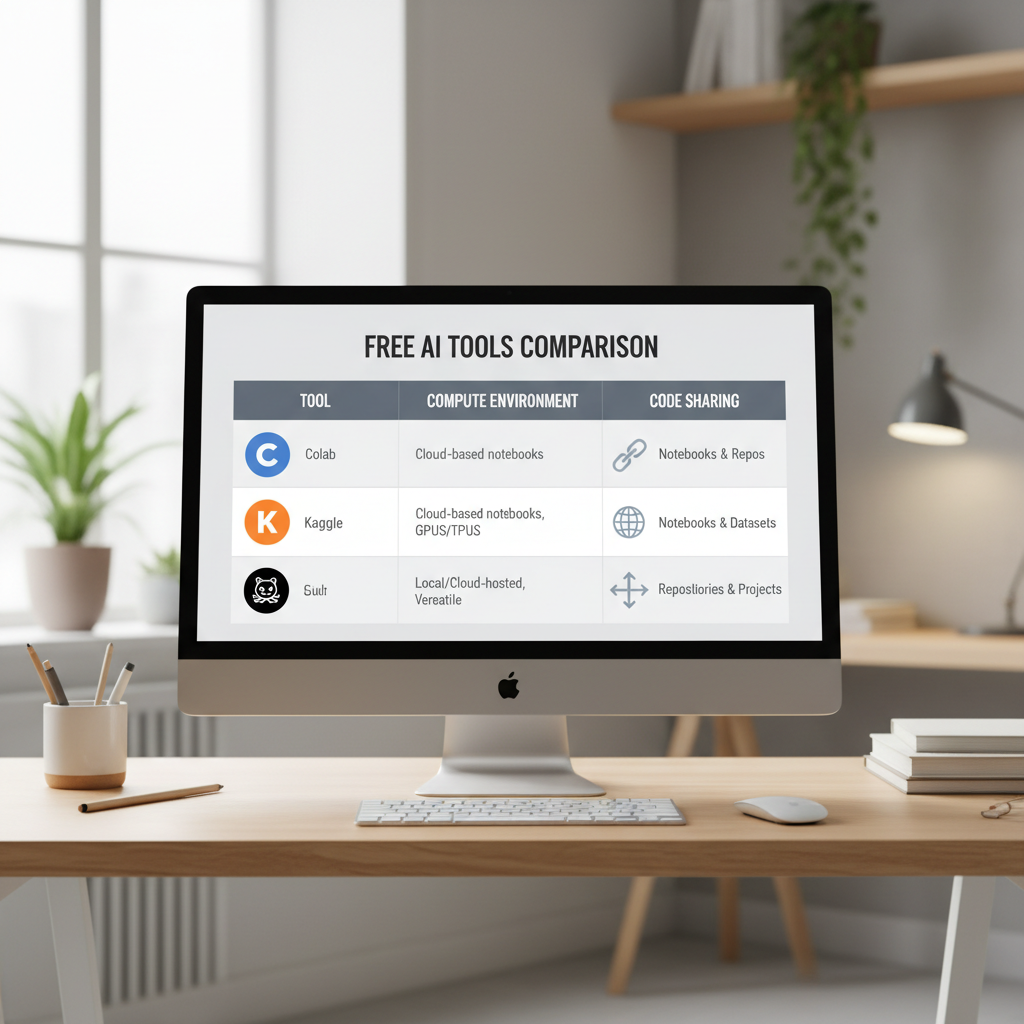
Free tools and platforms (with tradeoffs) + a quick comparison table
You can do a lot without paying, but there are tradeoffs: session timeouts, limited GPUs, private repo limits, or rate limits on APIs.
| Need | Free option | When it works | Common gotcha |
|---|---|---|---|
| Notebooks + datasets | Kaggle | Learning ML quickly with guided exercises | Environment constraints, occasional session limits |
| Notebook prototyping | Google Colab (free tier) | Short experiments, tutorials | Disconnects, limited GPU availability |
| Code + portfolio | GitHub | Sharing projects, version control | Messy repos hurt more than they help |
| Classical ML | scikit-learn | Most tabular ML tasks | People misuse metrics or leak data |
| Deep learning | PyTorch | Modern model building, flexible research-to-prod path | Easy to build, easy to mis-train without checks |
A weekly study plan you can actually maintain (5–7 hours/week)
If you are balancing a job or school, consistency beats intensity. Here is a simple cadence that keeps you building.
- 2 sessions (60–90 min): follow a structured lesson, take minimal notes, focus on the exercises.
- 1 session (60 min): re-implement one concept from memory, even partially.
- 1 session (90–120 min): project work, ship a small improvement, commit to GitHub.
- 10 minutes: write a short log, what you tried, what failed, what you will do next.
Key point: every week ends with an artifact, a notebook, a README update, a small demo, or an evaluation chart.
Common mistakes (and what to do instead)
Free learning breaks down in predictable ways, usually because the internet makes it easy to “consume” without pressure to produce.
- Mistake: jumping between courses every few days. Instead: finish one foundation track, then branch.
- Mistake: copying code without understanding inputs/outputs. Instead: rewrite one function and add one test.
- Mistake: building only chat demos. Instead: add retrieval, evaluation, and a failure mode section.
- Mistake: avoiding math entirely. Instead: learn just enough to reason about loss, gradients, and metrics.
And yes, tutorials make everything look smooth. Real projects involve boring debugging, data cleaning, and deciding what “good enough” means.
When free learning is not enough (and what “help” should look like)
Sometimes you do everything right and still stall. That usually means you need feedback, not more content.
- You cannot explain your model choices, only the steps you followed
- You keep hitting the same errors and do not know how to isolate the cause
- You want a job pivot and need portfolio review, interview practice, or a tailored plan
In those cases, targeted mentoring, a community code review, or a structured cohort can help, even if you keep most learning free. If you are using paid APIs or handling sensitive data, follow platform policies and your company guidelines, and when in doubt, ask a qualified professional.
Conclusion: a free path that still feels “serious”
If you take one idea from this guide, let it be this: how to learn ai for free works when you treat learning as shipping, small outputs every week, one repo you keep improving, and a feedback loop you trust.
Pick your track, choose one structured resource, commit to a single project for a month, and publish progress in public. Give it two weeks before you judge results, most people quit right before things click.
Action step for today: create a GitHub repo, add a one-paragraph README with a project goal, then complete one notebook that loads data, trains a baseline model, and reports a metric.