
Best wireless earbuds for work calls come down to three things you feel every day: microphone clarity, stable connectivity, and comfort that doesn’t turn into ear fatigue by 3 p.m. If any one of those is weak, your “premium” earbuds suddenly feel like a bad purchase.
Work calls are a different test than music. You might be in a noisy kitchen, walking between rooms, jumping between Zoom and Teams, or sharing a desk with someone who also has meetings. What matters is how well the earbuds keep your voice clean, how quickly they switch devices, and whether the fit stays consistent.

This guide keeps it practical: what to look for, how to quickly self-check your needs, and a short list of solid options by scenario. I’ll also flag common traps, like buying for “ANC” when your actual problem is mic pickup in echo-y rooms.
Quick picks (if you just want the shortlist)
If you want best wireless earbuds for work calls without overthinking specs, start here. These are widely available in the US and generally considered strong performers for voice, comfort, and daily reliability, though exact results can vary by ear shape and laptop/phone setup.
- Best for iPhone + Mac calls: Apple AirPods Pro (2nd gen)
- Best for Android + multipoint: Google Pixel Buds Pro (2) or Sony WF-1000XM5 (model choice often depends on fit and mic preference)
- Best for loud environments: Jabra Elite series with strong voice focus (look for models that emphasize call performance)
- Best budget-friendly calls: Anker Soundcore Liberty series (value varies by specific model year)
Key takeaway: for meetings, a “great music earbud” is not automatically a “great call earbud,” especially on Windows laptops.
What actually matters for work calls (and what’s mostly marketing)
Most people shop by ANC and battery first, then wonder why coworkers still say “you sound far away.” For calls, prioritize the stack below.
Microphone + voice processing
You’re buying the full chain: mic hardware, wind handling, background noise reduction, and how the earbuds preserve consonants (the stuff that makes speech intelligible). Many earbuds reduce noise aggressively and your voice can end up thin or “underwater,” which is fine for short calls but annoying all day.
Connectivity and codec stability
In real offices, interference is common: crowded Wi‑Fi, Bluetooth keyboards, and multiple devices. A stable Bluetooth implementation matters more than a fancy codec. According to Bluetooth SIG, Bluetooth audio performance depends on the radio environment and device implementation, so the same earbuds can behave differently on different laptops and phones.
Comfort over 2–6 hours
Comfort isn’t just “soft tips.” It’s pressure, ventilation, and how securely the buds sit without you constantly reseating them. If you take calls for hours, lighter earbuds with the right tip size often win.
Multipoint and device switching
If you bounce between phone and laptop, multipoint saves time, but it can introduce quirks with certain apps. Some earbuds switch beautifully inside one ecosystem, others are better for mixed-device life.
A simple self-check: which work-call setup are you?
Before you pick a model, get honest about your day. This quick list usually clarifies which features pay off.
- You use Mac + iPhone and hate fiddling: prioritize ecosystem pairing, fast switching, and consistent mic tuning.
- You’re on Windows + Teams/Zoom: prioritize stable Bluetooth, a good mic in “speech mode,” and consider a USB Bluetooth dongle if your laptop radio is weak.
- You take calls while walking outside: wind reduction matters as much as noise reduction.
- You’re in an open office or shared home space: prioritize voice isolation, plus passive seal and comfort.
- You do back-to-back meetings: prioritize comfort, sidetone (hearing yourself naturally), and reliable battery with quick charge.
If two or more bullets hit you, you’re not shopping for “the best earbud,” you’re shopping for the best match.
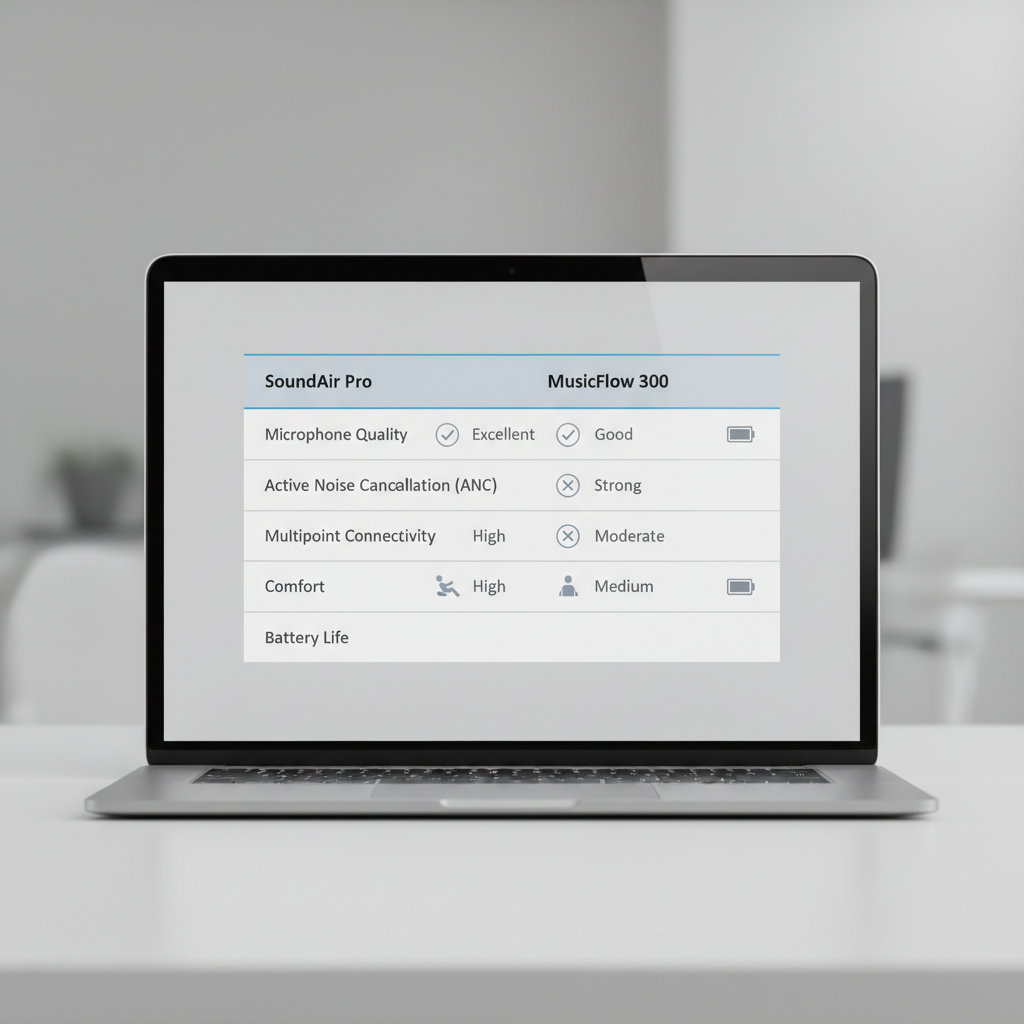
Feature comparison table (what to weigh for meetings)
This table isn’t a lab scorecard, it’s a buying lens. Use it to decide where to spend money and where you can compromise.
| Work-call need | What to look for | What often disappoints |
|---|---|---|
| Clear voice in noisy spaces | Strong voice isolation, good consonant clarity, stable seal | Over-aggressive noise reduction that makes you sound “warbly” |
| Fewer dropouts | Consistent Bluetooth performance, solid app/firmware support | Great phone performance but flaky laptop calls |
| All-day comfort | Lightweight buds, multiple tip sizes, low pressure fit | Heavy housings that cause hot spots after 60–90 minutes |
| Fast switching | Multipoint or seamless ecosystem handoff | Manual reconnect steps inside meeting apps |
| Less fatigue in calls | Sidetone/transparency during speaking, natural EQ | “Plugged ears” feeling that makes you talk too loudly |
Best earbuds by scenario (realistic recommendations)
Here’s where most buying guides get too absolute. In practice, the best wireless earbuds for work calls depend on your device mix and where you talk. Use these scenario picks as a starting point, then confirm with your return window and a quick call test.
If you’re mostly Apple (iPhone + Mac)
AirPods Pro (2nd gen) are hard to beat for frictionless switching and consistent call behavior in Apple apps. Transparency also feels natural for speaking. If your calls are mostly from a MacBook, the “it just connects” factor is the real value.
If you’re Android + laptop and need multipoint
Pixel Buds Pro and Sony WF-1000XM5 are popular for multipoint and overall balance. Sony often wins on sound quality, but some people prefer the way other brands tune voice pickup. If your laptop Bluetooth is unreliable, budget for a small USB Bluetooth adapter to stabilize meetings.
If your environment is loud (open office, café, shared home)
Look for earbuds known for voice focus, often from brands that historically prioritized call headsets. Jabra models frequently show up here because they tend to emphasize speech use cases and app controls for calls, though model-to-model performance can differ.
If you need a solid, cheaper option
Anker Soundcore models can be strong value, especially if you’re okay with “good enough” voice and want comfortable fit plus a decent app. This category changes quickly, so check recent firmware notes and return policies.
How to set them up for better call quality (5-minute improvements)
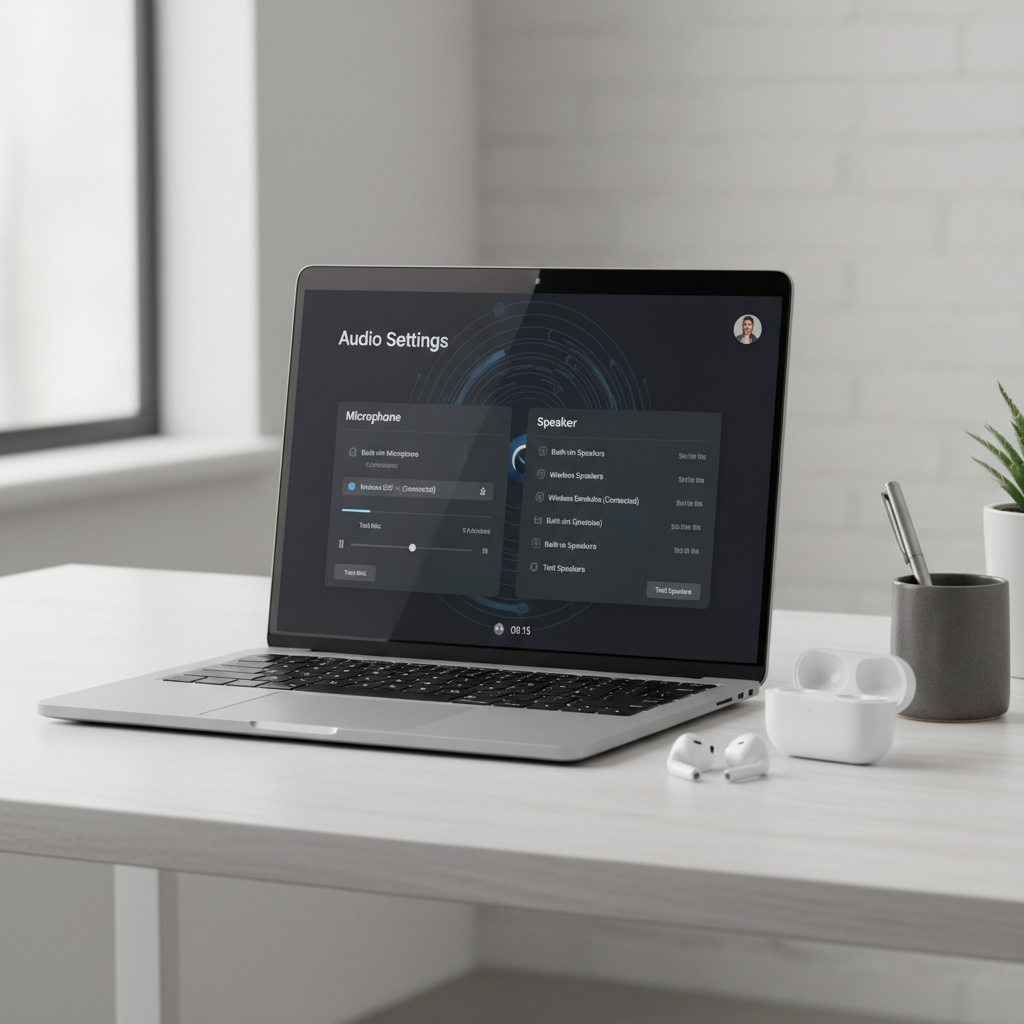
Even excellent earbuds can sound mediocre with the wrong settings. These steps fix a surprising number of “you sound weird” complaints.
- Update firmware in the brand app before your first workday, mic algorithms improve over time.
- Try one size up on ear tips if coworkers say you sound distant, a better seal often stabilizes voice processing.
- Enable sidetone if available, you’ll speak at a more natural volume and reduce vocal strain.
- On Zoom/Teams, turn off “auto” audio only if needed, sometimes manual mic selection avoids the laptop grabbing the wrong input.
- Do a 20-second test call from the room you actually use, kitchens and bare walls change everything.
Practical tip: if you’re on Windows and calls randomly degrade, test with a different Bluetooth profile or a USB dongle. It’s not glamorous, but it often beats swapping earbuds.
Common mistakes that waste money (and patience)
A few patterns show up again and again when people shop for meetings.
- Buying for ANC only: noise canceling helps you hear, but it doesn’t guarantee others hear you well.
- Assuming “more mics” means better calls: tuning matters as much as mic count.
- Ignoring fit: a poor seal forces the algorithm to work harder, voice can sound processed.
- Testing in a quiet bedroom only: the real test is an echo-y kitchen, street wind, or busy office.
- Forgetting return windows: comfort and mic tone are personal, treat the first week as a trial.
When to consider alternatives (or get help)
If you’re constantly on calls and your job depends on sounding crisp, earbuds might not be the best tool every day. A dedicated headset with a boom mic still tends to win for pure intelligibility, especially on Windows and in noisy offices.
If you’re experiencing ear pain, pressure headaches, or ringing, it’s smart to pause and adjust fit and volume, and consider speaking with a hearing professional if symptoms persist. Earbuds are safe for many people, but comfort and hearing health are individual.
For IT-managed workplaces, ask your help desk about approved Bluetooth adapters or Teams-certified devices. According to Microsoft, certified audio devices are tested for compatibility with Microsoft Teams, which can reduce “works on my phone, fails on my laptop” issues.
Conclusion: the best choice is the one your coworkers never notice
The best wireless earbuds for work calls are the pair that disappears into your day: you connect fast, you sound natural, and you don’t think about battery or fit mid-meeting. Start by matching earbuds to your device ecosystem, then prioritize mic clarity and comfort over flashy features.
If you’re buying this week, pick one model that matches your setup, run a short test call in your noisiest real-world spot, and keep the packaging until you’re sure the mic tone works for your team.